
Every dollar, traced to a booked job.
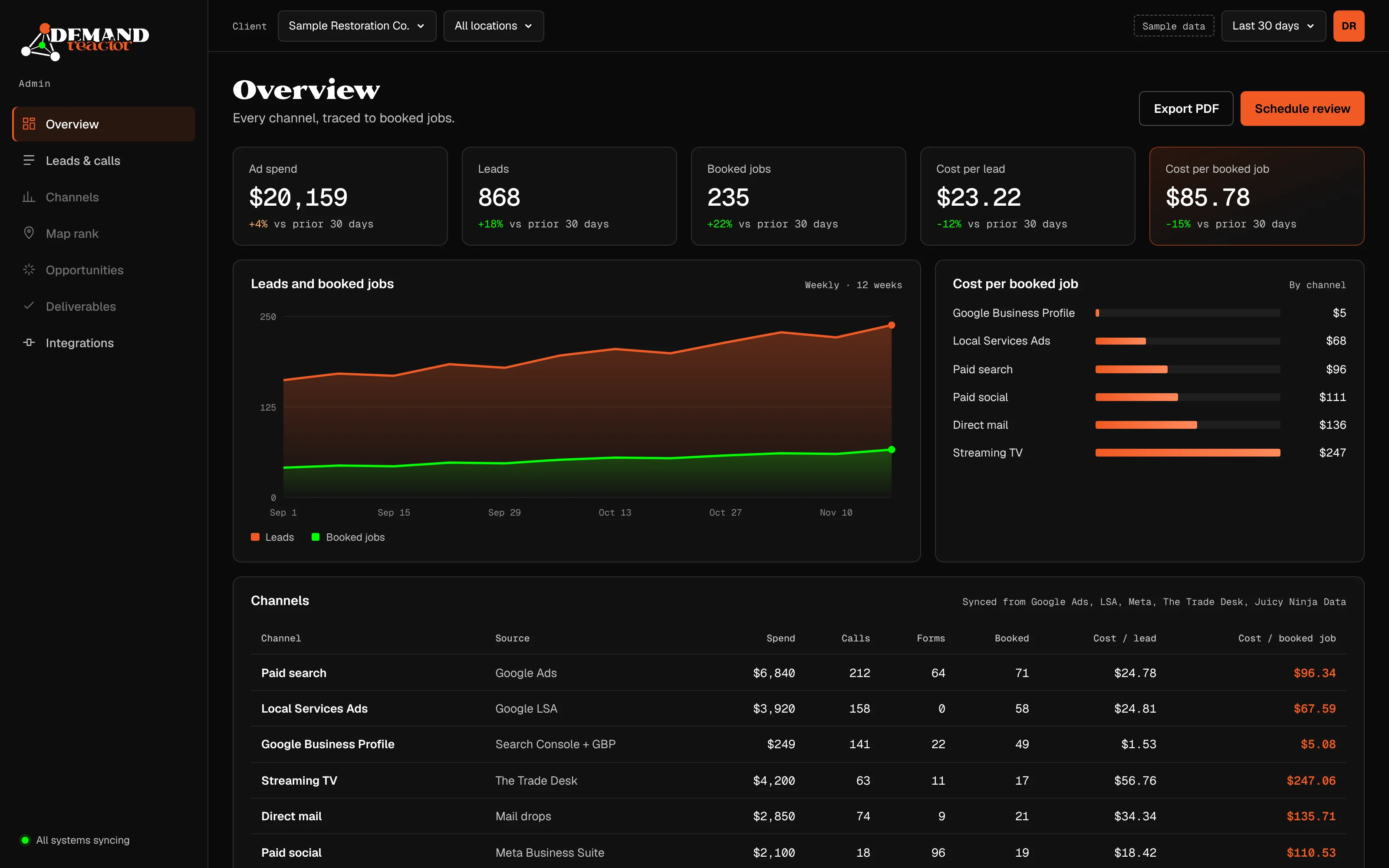
The DemandReactor dashboard puts every channel side by side: spend, calls, leads, booked jobs, cost per lead and cost per booked job, by channel and by location. Open it any time. It’s your data.
What you see, and why it matters.
Cost per booked job, by channel
Search, Local Services Ads, maps, streaming TV, mail and paid social on one table, judged on the same number.
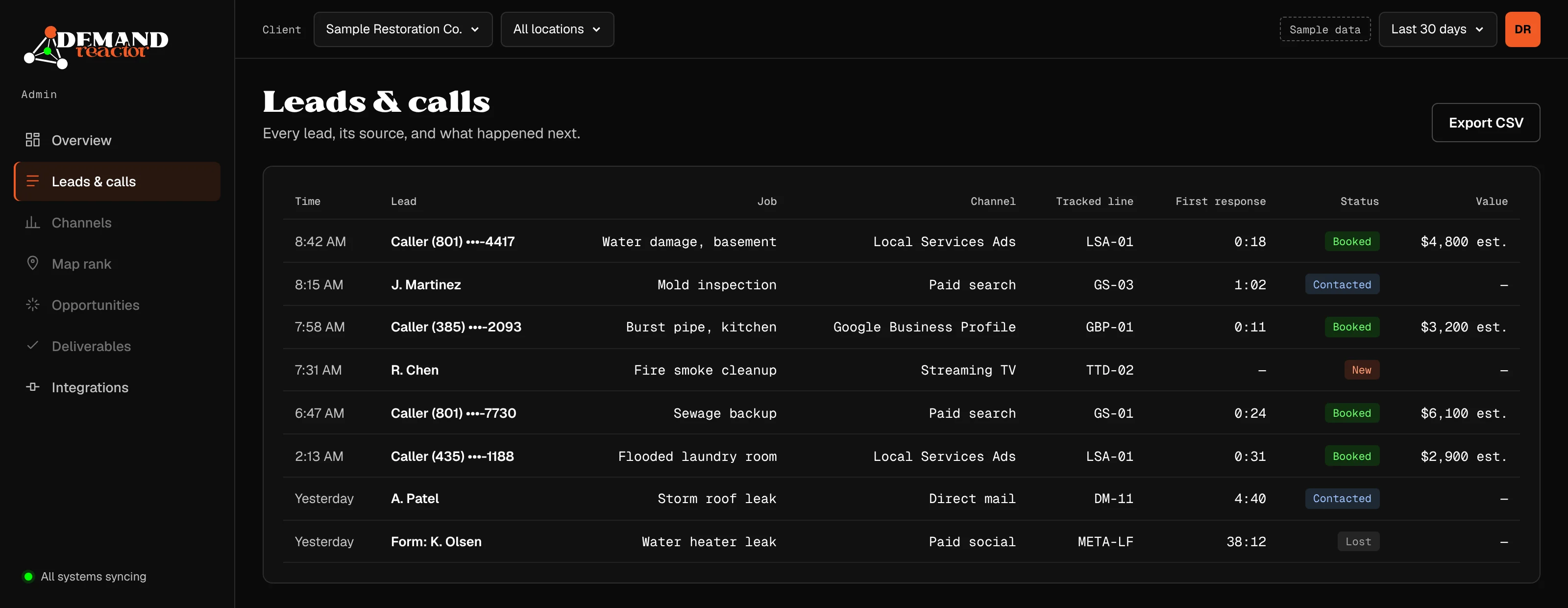
Every lead and every call
Who called, from which tracked line, how fast you answered, and whether it booked. Recordings included.
Map rank, block by block
Grid scans across your service area show exactly where you show up on the map, and where you don’t yet.
Opportunities, flagged and sent
Slow follow-ups, missed calls, budget that should move and spend that should stop, piped to EntrepX or ORGZ.
By location, by brand
Switch between locations or roll everything up. Franchisees see their own numbers; franchisors see the system.
A monthly review on video
Booked straight from the dashboard and run on VizaVi: what worked, what didn’t and what changes next.
Hear how every lead was handled.
Every call comes in on a tracked number from Juicy Ninja Data, so the dashboard knows which campaign paid for it. You see how fast it was answered, listen to the recording, and mark it booked, lost or no answer.
Speed to first contact is tracked on every lead, because in most trades the first company to answer gets the job.
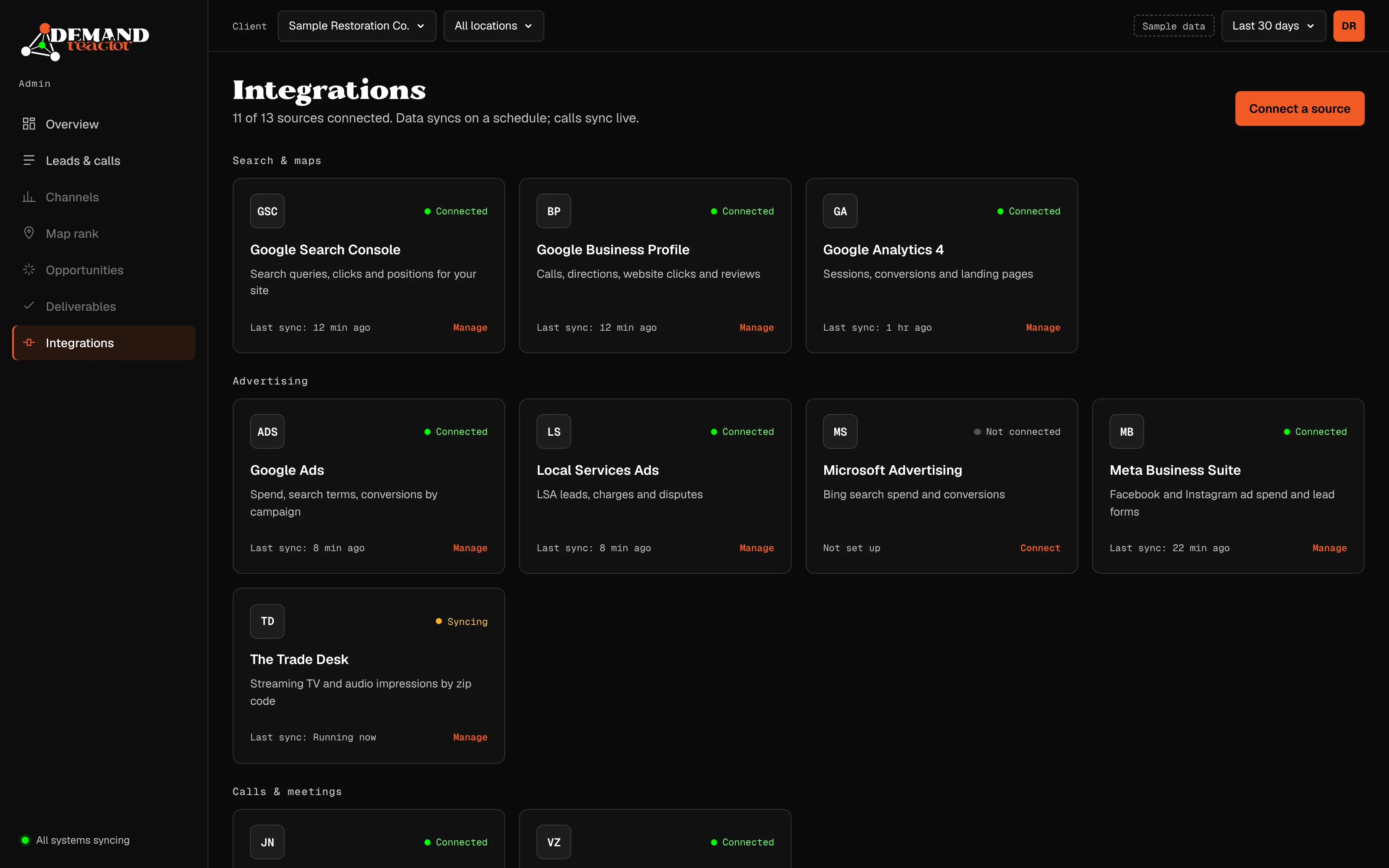
One dashboard. Every source.
Search, maps, ads, streaming TV, phone calls and your CRM, pulled into one place and kept in sync. No more logging into six platforms to piece together a month.
See every integrationQuestions we get.
Where does the data come from?
Straight from the platforms: Google Search Console, Google Business Profile, Google Ads and Local Services Ads, Meta Business Suite, The Trade Desk, tracked numbers from Juicy Ninja Data, and your CRM in EntrepX or ORGZ.
How often does it update?
Calls and leads show up live. Ad and search data syncs on a schedule through the day.
Can my team log in?
Yes. Owners, managers and staff can each have a login, and franchise systems get franchisor and franchisee roles.
Can I export reports?
Yes. Export tables to CSV and full reports to PDF, or have a monthly report emailed automatically.
See your own numbers this way.
Book a walkthrough and we’ll show you the dashboard with your market in mind.